Work with the review queue
Every machine translation goes through QA checks before it’s delivered. In the separate QA review mode, translations with QA errors are held back: they don’t reach your site until someone decides about them in the review queue. In the editors fix mode they are delivered with the error marked, and editors fix them in the CMS or admin (see Quality checks). This guide shows how to work with the queue.
Everyone in the organization can open the queue. You need the editor role or higher to act on a translation.
Find translations that need attention
Open Review in the dashboard. It opens the first tab with something in it:
- Needs attention
Held back by QA errors. Only these need a decision in Ponyglot.
- Delivered with QA issues
Delivered as drafts, with QA warnings (and, in the editors fix mode, errors) your editors see in the CMS or admin.
- Awaiting editors
Delivered or about to be delivered, waiting for an editor on your site. Nothing to do here: editors approve them by publishing the draft (or applying the suggestion) in the CMS or admin, and Ponyglot learns about it with the next sync.
- Published with QA issues
Approved on your site although the published text has a QA error. Fix them there.
To get emails when translations are held back, choose right away or daily summary under Members › Your notifications. Owners and admins get the daily summary by default.
Filter by site and language. Open a translation to see the source and the translation side by side, with the QA findings above them.
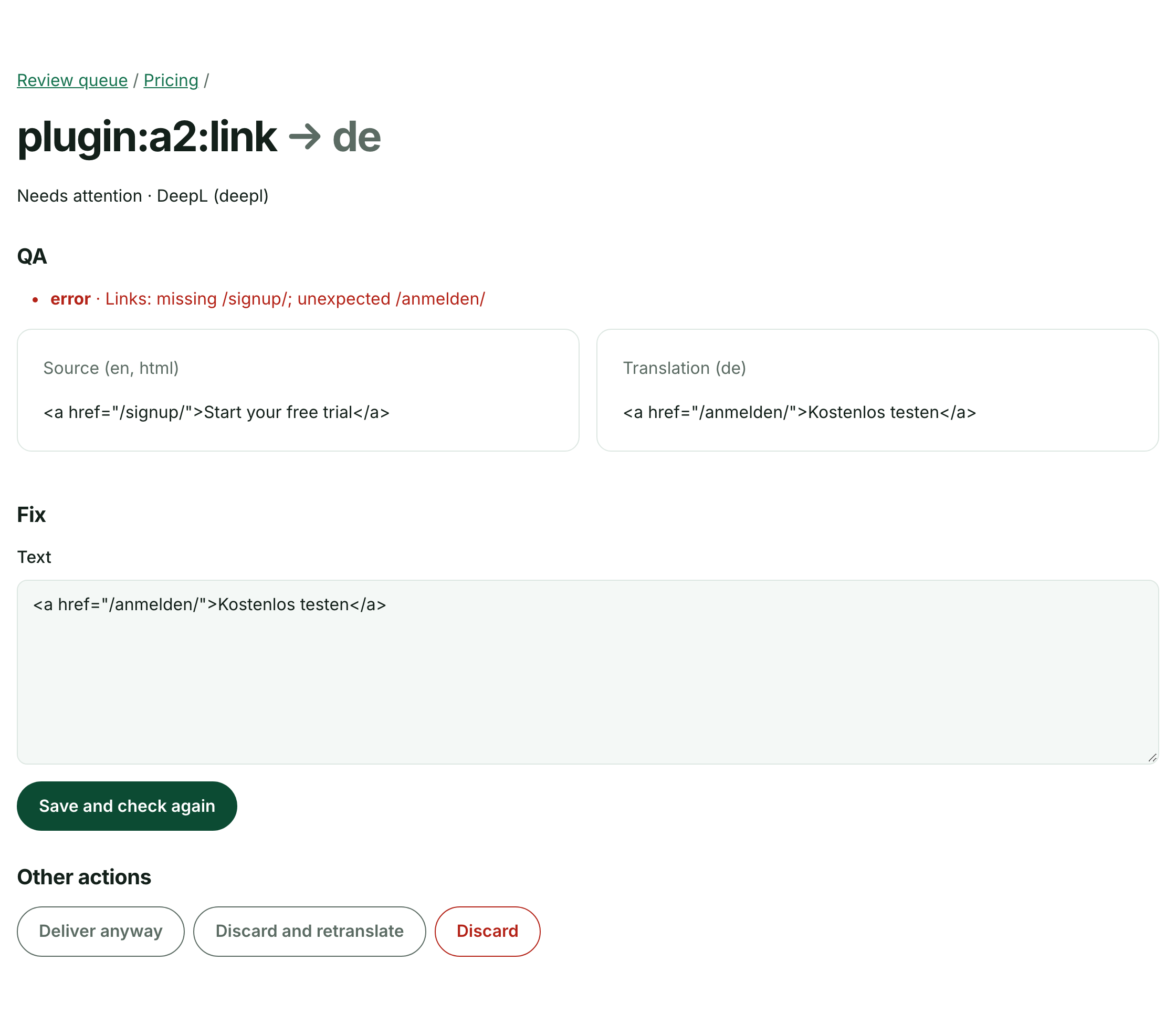
A translation held back because a link changed.
The site’s Content page has the same view per unit: choose QA problems to list units with held-back translations, or stale for the stale-segment overview.
Decide about a held-back translation
On the translation’s page you have four options:
- Fix it
Correct the text and choose Save and check again. The QA checks run again. If they pass, the translation is delivered as a draft; if not, it stays in the queue with the new findings.
- Deliver anyway
The finding is acceptable, for example a link that you changed on purpose. The translation is delivered as a draft. Ponyglot records who overrode the check, and the findings stay visible.
- Discard
Throw the translation away. The segment counts as missing, and the next translation job translates it again.
- Discard and retranslate
Throw it away and request a new translation for this unit and language right away. This needs a subscription that covers the site.
Each option that makes a translation deliverable creates a new result for the connector, with a new result ID.
Clear out translations nobody will approve
Sometimes a draft is never going to be published, for example after the page was restructured. Its translations stay under Awaiting editors. To clear them without a decision, tick them and choose Discard selected, or open one and choose Discard:
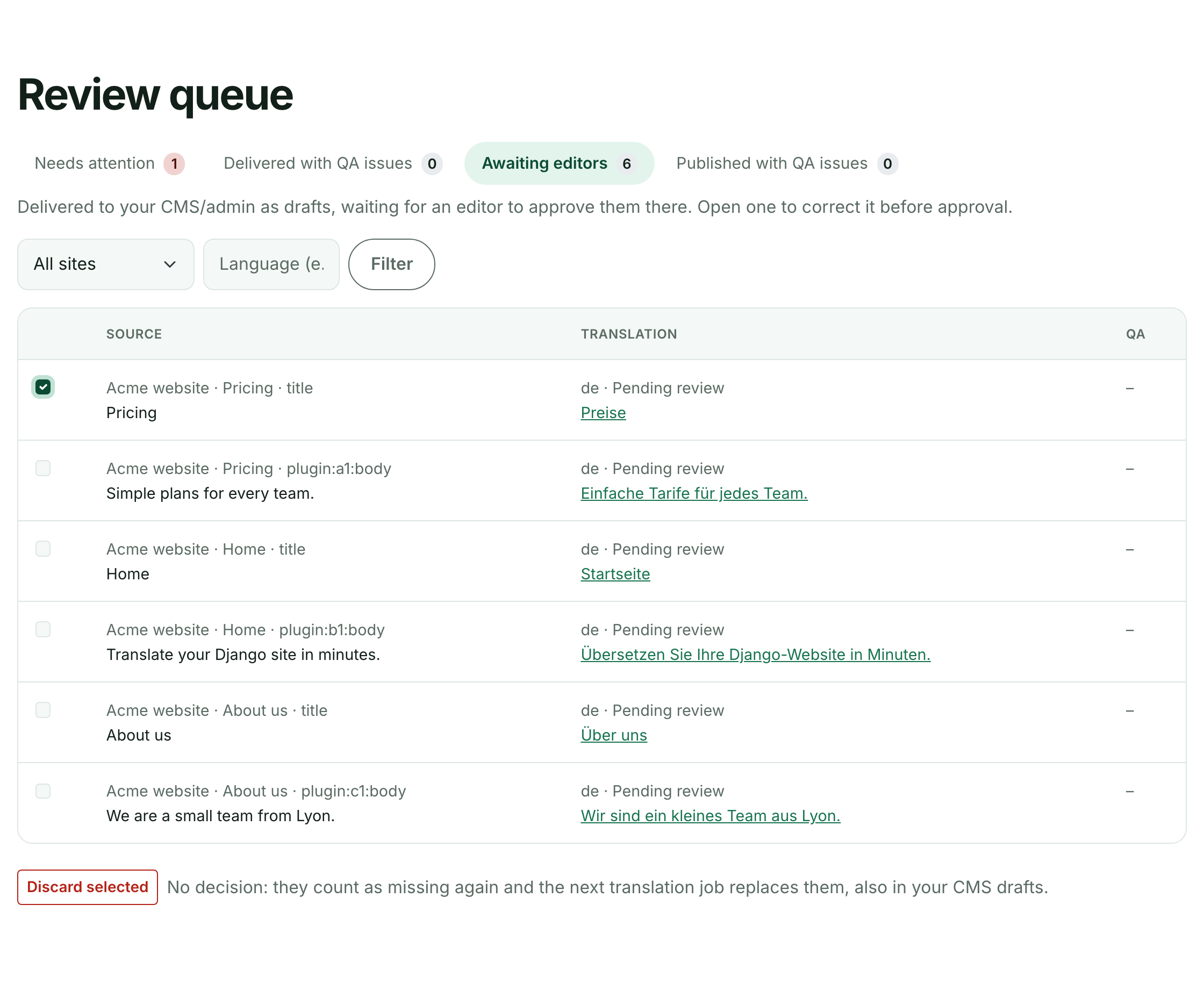
Select translations, then Discard selected.
Discarded translations count as missing again; the next translation job replaces them, also in your CMS drafts (unless an editor changed the draft). Until then, the drafts keep the old text, and publishing one still counts as approval.
What you can’t change here
The cloud only edits translations your site hasn’t received yet. Once a connector has acknowledged a draft, editors correct it in the CMS or admin, not in Ponyglot. If the connector picks up a translation while you’re editing or discarding it, your change isn’t saved and the page tells you so: the connector always wins.
Held-back translations are not retranslated by delta jobs. Retranslating automatically would repeat the cost and often the problem.